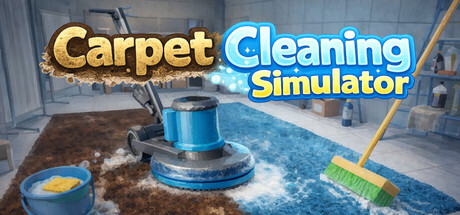
Carpet Cleaning Simulator header art
Game InsightsFeaturedQuality 100Released Jul 12, 2026

Carpet Cleaning Simulator

Carpet Cleaning Simulator is an incremental cleaning game where you scrub, foam, rinse, and squeegee carpets for money, investing in upgrades to speed up each run. A meteor-triggered time reset sends you back with persistent boosts, creating a satisfying loop of growth and optimization. Player reviews describe a fun, cozy experience with clear progression and a short runtime, while some note limited depth and occasional issues. It’s available on Windows and Mac with full controller support, and has received a post-launch update that adjusted progression and fixed UI problems.

Release Date

Jul 12, 2026

Difficulty

30/100

Learning Curve

Easy to learn

Pace

Steady, chill loops

Replayability

40/100

Carpet Cleaning Simulator Game DNA

Main Skills

optimizationresource managementmouse precisionupgrade planning

Emotional Tone

satisfyingrelaxinglight tensioncozy

Mechanics

scrubbingfoamingrinsingsqueegeeingupgradestime resets

What Players Like About Carpet Cleaning Simulator

Satisfying cleaning flow

Scrub away dirt, watch foam build, then rinse and push it into the drain with straightforward, pleasing interactions.

Visible incremental growth

Efficiency and earnings climb as you invest in better tools and upgrades, making progress feel tangible.

Reset-driven meta progression

Persistent upgrades carry across time resets, turning short runs into rewarding long-term growth.

Accessible controls

Simple to pick up with strategic choices that influence efficiency; controller support included.

What Players Question In Carpet Cleaning Simulator

Short overall length

Multiple players finished in roughly 3–5 hours and wanted more content or depth.

Limited depth for sim purists

The loop is simple and can become very easy late-run, which some found lacking in challenge.

Concerns about AI-generated assets

Several players reported AI-generated images and expressed dissatisfaction.

Stability and comfort issues for some

A few reports mention crashes when foam accumulates, camera motion discomfort, and a language setting not applying.

Repetitive audio

One detailed review noted repetitive, unremarkable music.

Who Carpet Cleaning Simulator Is For

  • Fans of satisfying cleaning routines
  • Players who enjoy incremental progression
  • Short, cozy session gamers
  • Optimization and efficiency seekers
  • Controller users on Windows or Mac

Who Should Wait On Carpet Cleaning Simulator

  • Players seeking deep, complex simulation
  • Those wanting long campaigns or endless sandbox
  • Players avoiding AI-generated content
  • Motion-sensitive players bothered by camera movement

Games Similar To Carpet Cleaning Simulator

PowerWash Simulator

Several players compared the feel and segmented progression to a cleaning sim experience.

Confidence 70/100

Recent Carpet Cleaning Simulator Updates

v1.0.1 Update

2026-07-14

Adjusted the CLP earned from Unknown CarpetsAdjusted Cleaning Robot behaviorFixed a bug where tutorial UI could overlap and become impossible to closeAdjusted water transparencyAdded a new...

Demo Version v1.5 Update

2026-06-20

Removed the fan’s collision detectionFixed the “Multiplier Up each time you wash a carpet” effectAdded a feature that automatically merges foam when large amounts are presentFixed an issue where...

Demo Version v1.4 Update

2026-06-16

Integrated “Hold Down to Scrub Continuously” into the default controlsAdjusted options so they can be opened with “Esc”Adjusted tool selection so tools can be selected using only the number keysOther minor fixes

Carpet Cleaning Simulator FAQ

What do you actually do in Carpet Cleaning Simulator?

You scrub carpets to create foam, rinse the foam, then push it into a drain to earn money for upgrades. Over time a meteor resets the run, but persistent upgrades carry forward so you get stronger with each loop.

How long does Carpet Cleaning Simulator take to finish?

Many players report completing it in about 3–5 hours, with some stretching to around 7–10, and several noting they wished it were longer.

Is Carpet Cleaning Simulator worth playing now?

Player sentiment is very positive overall, highlighting a fun, satisfying loop and clear progression. Common critiques are short length, limited depth, and reports of AI-generated images. If you want a cozy, short optimization-focused game, it’s a good pick; if you expect deep simulation or avoid AI assets, you may want to pass.

Does it support controllers and which platforms are available?

It’s available on Windows and Mac with full controller support, including popular controller types.

Are there known issues or settings limitations?

Some players reported occasional crashes during heavy foam, camera motion discomfort, and one case of language settings not applying. Another noted no option to invert the mouse Y axis.

Has the game received updates and what’s next?

A recent post-launch update adjusted progression from certain carpets, refined cleaning robot behavior, fixed tutorial UI overlap, and tweaked water transparency. Demo updates improved controls and foam handling. Future long-term plans aren’t detailed, but early patches suggest active maintenance.

Is Carpet Cleaning Simulator beginner friendly?

Carpet Cleaning Simulator looks more approachable than mastery-heavy games, though the confidence depends on review volume.

More Game Insights

Compare Carpet Cleaning Simulator With Other Games

Browse all insights
Moldwasher header art

Moldwasher

Moldwasher is a cozy 2D cleaning arcade where you play a sushi-shaped hero using pressure sprays and a variety of tools to clean a moldy kitchen. Players praise its calming audio, pixel art, and satisfying cleaning feedback, but most note the overall experience is short (commonly 1.5–4 hours) and has small quality-of-life issues around level markers, collectibles, and a few bugs. The developer shipped a hotfix shortly after release to fix an achievement check and add level hints, indicating active initial support.

Supermarket Chaos header art

Supermarket Chaos

Supermarket Chaos is a low-pressure organizing simulator where you return 4,668 products to 16 store sections. The game excels at a calm, repetitive tidying loop with visible progress and a modest skill tree, but reviews report inconsistent item categorization, occasional bugs (notably movement/walk-speed), and a lower polish than similar titles. Controller support and cloud saves are confirmed; players seeking a relaxing, short-to-medium session tidy-up will likely enjoy it, while players expecting deep replayability or meticulous categorization may find it frustrating.

How To Grow a Black Hole header art

How To Grow a Black Hole

How To Grow a Black Hole is a chill incremental clicker about feeding, upgrading, and stabilizing a growing black hole. The store page frames it as light, not-academic fun with research trees, leaderboards and bite-sized facts. Player reviews are Mostly Positive: many praise the visuals, satisfying progression, and developer responsiveness, while a number report performance or launch issues and some find late-game balance or UI clunky. The developer has issued quick hotfixes and a quality-of-life update (offline simulation, leaderboards, UI and performance tweaks), so the game is actively being refined. Good fit for clicker/idle fans who want a short-session, numbers-driven experience with occasional strategic tension; less suited to players seeking strict astrophysics or highly polished, bug-free releases right at launch.

Featured Game Insights

Featured games worth checking next

Browse all insights
Hell Maiden header art

Featured

Hell Maiden

Hell Maiden is an action horde-survival, deck-building roguelike that reimagines Dante’s Divine Comedy with strong 90s shoujo–style art, full voice work, and a soundtrack that many players praise. The core loop mixes Vampire Survivors–style endless waves and bullet-hell boss encounters with a lightweight deck/mod card system that lets you rearrange and customize weapons mid-run. Early Access launched with two of the planned nine Circles of Hell, and reviews note excellent polish in art, music, and voice acting but also report crashes, visual clutter, balance issues, and limited content. If you buy now, expect a visually and audibly striking but still-EA experience that rewards experimentation and tolerance for bugs and missing features.

hololive Dreams header art

Featured

hololive Dreams

hololive Dreams is a fan-forward rhythm game and RPG built around hololive music, chibi characters, theme park development, and mini-games. The store page positions it as approachable for both fans and newcomers, with auto-play, easy options, and a large launch song list, while player reviews are mixed overall and frequently point to PC-port friction, long progression gating, and grindy side content. It looks most appealing if you want hololive presentation first and are comfortable with a casual, mobile-style structure.

How To Grow a Black Hole header art

Featured

How To Grow a Black Hole

How To Grow a Black Hole is a chill incremental clicker about feeding, upgrading, and stabilizing a growing black hole. The store page frames it as light, not-academic fun with research trees, leaderboards and bite-sized facts. Player reviews are Mostly Positive: many praise the visuals, satisfying progression, and developer responsiveness, while a number report performance or launch issues and some find late-game balance or UI clunky. The developer has issued quick hotfixes and a quality-of-life update (offline simulation, leaderboards, UI and performance tweaks), so the game is actively being refined. Good fit for clicker/idle fans who want a short-session, numbers-driven experience with occasional strategic tension; less suited to players seeking strict astrophysics or highly polished, bug-free releases right at launch.

Built from store details, player reviews, and update notes for Carpet Cleaning Simulator. Generated from available Steam data and review signals. Last generated: 7/15/2026.